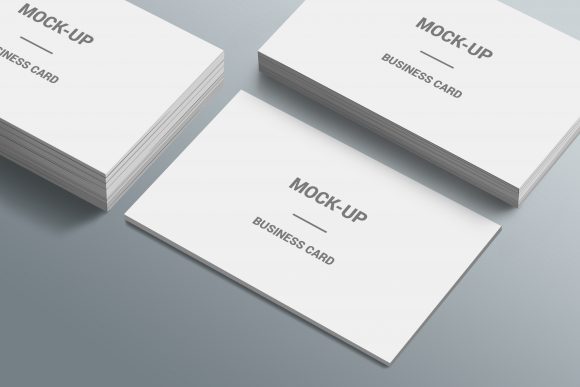
3D Business Card Mockup Template
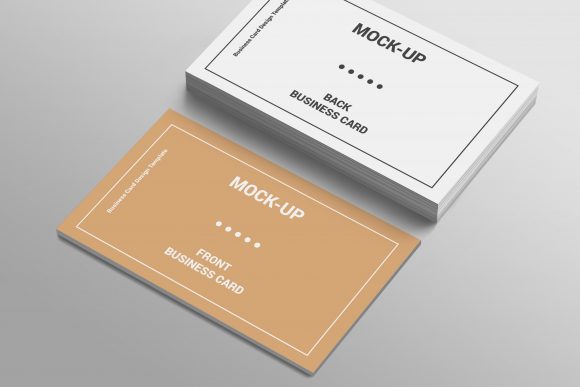
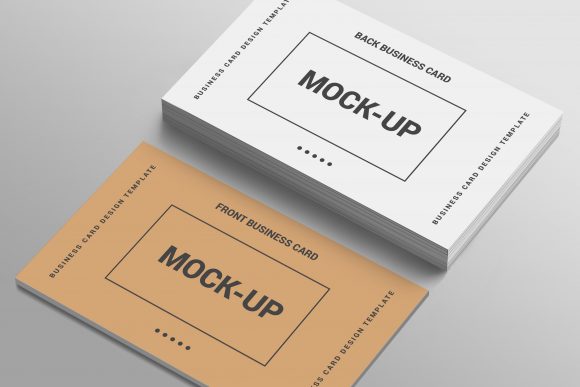
A 3D Business Card Mockup Template is a pre-built digital file—typically in PSD, Figma, or Sketch format—that enables designers and non-designers alike to visualize business card designs in realistic, three-dimensional space. Unlike flat previews, these templates simulate lighting, depth, shadows, material texture (e.g., matte laminate, spot UV, foil stamping), and environmental context—such as cards resting on a wooden desk, held in hand, or arranged in a stack. What makes the 3D Business Card Mockup Template worth discussing isn’t novelty alone, but its functional role in streamlining client communication, refining visual strategy, and reducing production risk before printing.
Why Realism Matters in Presentation
When pitching a brand refresh or presenting collateral to stakeholders, a flat JPEG of a business card rarely conveys how it will feel in someone’s hand—or how it will stand out in a crowded conference bag. A well-crafted 3D Business Card Mockup Template bridges that gap. It shows curvature at the edges, subtle reflection on a glossy finish, or the tactile weight implied by shadow placement. These cues support credibility: clients trust visuals that reflect physical reality. For freelancers quoting design work, embedding a mockup into a proposal signals attention to detail and reduces back-and-forth about “how it’ll look when printed.”
Key Characteristics That Define Quality
Not all mockups deliver equal value. High-performing 3D Business Card Mockup Templates share several traits:
- Smart object layers: Allow drag-and-drop replacement of your design without manual masking or layer alignment—critical for rapid iteration.
- Multiple angles and scenes: Include front, angled, top-down, and lifestyle variants (e.g., card beside a laptop or coffee cup) to suit different use cases.
- Material and lighting controls: Offer editable layers for gloss intensity, shadow softness, or ambient light color—so you can match a brand’s mood board or presentation background.
- Consistent dimensions and bleed guidance: Embed standard print specs (e.g., 3.5″ × 2″ with 1/8″ bleed) directly into the template, minimizing layout errors.
- Cross-software compatibility: Available in widely supported formats like layered PSD (with embedded fonts) or Figma files with auto-layout components.
Templates lacking these features often require time-consuming adjustments—defeating their core purpose. A poorly constructed 3D Business Card Mockup Template may force users to manually reposition shadows or guess at perspective, adding friction instead of clarity.
Practical Use Across Roles
The utility of a 3D Business Card Mockup Template extends beyond graphic designers. Consider how it functions in real workflows:
- Freelancers and agencies: Use it to build branded pitch decks. One designer reported cutting client revision rounds by nearly 40% after switching from flat PDFs to contextual 3D mockups—clients approved faster because they could envision usage scenarios.
- Small business owners: Even with no design software experience, many templates include simple instructions and video walkthroughs. A café owner used a basic PSD mockup to preview seasonal card designs before ordering 500 prints—avoiding a costly misalignment between digital proof and final product.
- Educators and trainers: Integrate mockups into branding workshops to demonstrate how typography, spacing, and color behave in physical form—not just on screen.
- Bloggers and content creators: Embed high-res mockup images in tutorials about print design best practices. The realism lends authority; readers understand why certain fonts fail at small sizes or how contrast affects legibility under office lighting.
Usability and Flexibility in Practice
Usability hinges on predictability. A reliable 3D Business Card Mockup Template behaves consistently across versions: if you update a smart object in one scene, related views (like a stacked variant) don’t break. Some templates go further—offering toggles for “realistic paper curl” or “environmental dust”—features useful for editorial or portfolio contexts but less critical for internal stakeholder reviews.
Flexibility also means adaptability to brand systems. Top-tier templates include optional overlays for textures (linen, kraft, metallic), so a sustainable brand can preview recycled stock without sourcing custom photography. Others support CMYK and Pantone swatch integration, helping designers communicate color fidelity expectations to printers.
Limits to Keep in Mind
No mockup replaces physical proofing. While a 3D Business Card Mockup Template simulates gloss, it can’t replicate how spot UV feels under fingertips—or how fluorescent ink reacts to sunlight. It also doesn’t account for printer-specific color shifts or substrate warping during lamination. Treat it as a strategic visualization tool, not a production substitute.
Also, over-reliance on highly stylized mockups—think dramatic studio lighting or surreal floating compositions—can unintentionally misrepresent how a card will function in everyday settings. A tech startup presenting to investors might benefit from a clean, minimalist desk scene; a tattoo artist may prefer a mockup showing the card tucked into a denim pocket. Match the context to your audience’s expectations.
Who Benefits Most—and When
The 3D Business Card Mockup Template delivers strongest ROI for professionals who regularly present, sell, or refine tangible brand assets. That includes:
- Designers managing multiple client projects where speed and consistency matter;
- Marketing managers launching campaigns tied to physical touchpoints;
- Entrepreneurs preparing investor materials or trade show kits;
- Educators teaching print production or brand identity;
- Content creators building visually grounded tutorials or case studies.
It’s less essential for one-off personal use—say, designing a single card for a family member—or for purely digital branding efforts with no physical component. But even then, having a lightweight, well-structured mockup on hand can clarify design decisions early: testing whether a logo scales legibly at 1/4″ height is easier when you see it rendered in 3D perspective than on a zoomed-in artboard.
Making It Work Long Term
Investing in a versatile 3D Business Card Mockup Template pays off across projects—but only if it integrates cleanly into your existing tools and habits. Before downloading or purchasing, verify:
- Whether the file format matches your primary software (e.g., Figma users should avoid PSD-only bundles unless they own Photoshop);
- If updates or support are offered—especially important if you rely on the template for client-facing deliverables;
- How licensing works: most allow unlimited use for personal and commercial projects, but some restrict redistribution in templates you sell (e.g., Canva brand kits).
One practical tip: build a small library of 2–3 complementary mockups—one minimalist, one lifestyle-oriented, one textured—rather than relying on a single all-in-one pack. This avoids visual fatigue in presentations and gives flexibility depending on tone and platform.
In short, the 3D Business Card Mockup Template is not about adding flash—it’s about grounding design decisions in tangible context. When chosen thoughtfully and applied deliberately, it becomes part of a more efficient, confident, and client-aligned workflow—whether you’re finalizing a startup’s first print run or iterating on a university department’s communications suite.