Iron Plate 3D Logo Mockup: A Practical Tool for Visual Validation and Client Alignment
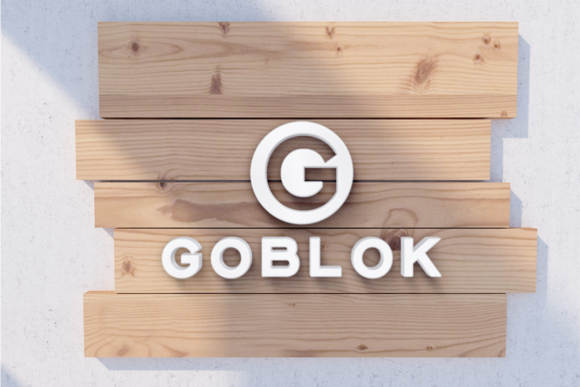
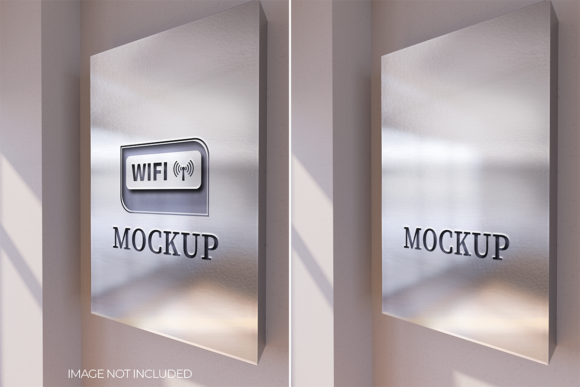
When you’re finalizing a brand identity, pitching a redesign, or preparing assets for production, seeing your logo in context matters. The Iron Plate 3D Logo Mockup isn’t just another visual placeholder—it’s a precision tool that bridges the gap between flat design files and real-world perception. It renders logos on a realistic, textured metal surface with accurate lighting, depth, and reflection, helping designers, marketers, and small business owners evaluate contrast, legibility, scale, and material harmony before committing to signage, packaging, or merchandise.
Where It Fits in the Branding and Production Workflow
The Iron Plate 3D Logo Mockup operates most effectively at two critical junctures: pre-production validation and client presentation refinement. Early in a project, it helps test how a logo holds up against industrial or premium metallic backdrops—think storefront signage, engraved awards, or product badges. Later, it serves as a high-fidelity preview during stakeholder reviews, reducing misalignment caused by abstract color swatches or flat PNGs.
Unlike generic mockups with soft shadows or plastic textures, this one simulates cold-rolled steel: subtle grain, controlled specular highlights, and natural edge falloff. That specificity means decisions about font weight, negative space, and stroke thickness become more informed—not guessed. If your logo looks weak or overly busy on the iron plate surface, it’s likely to struggle on brushed aluminum signage or laser-etched stainless steel.
Integration Across Tools and Teams
You don’t need specialized 3D software to use the Iron Plate 3D Logo Mockup. Most versions are delivered as layered PSD or Smart Object-enabled files compatible with Adobe Photoshop (CC 2019+). You paste your logo into the designated layer, resize it proportionally, and toggle visibility of ambient light, rust overlays, or bevel effects—no rendering time, no GPU strain.
This compatibility makes it practical across roles: a freelance designer can drop it into a client’s brand guidelines PDF; a marketing manager can embed it in a pitch deck alongside competitor signage analysis; an educator can use it in a branding workshop to demonstrate material-appropriate design constraints. It integrates cleanly with Figma via export-to-PNG workflows (for static previews) and works alongside asset management tools like Dropbox Paper or Notion when organizing brand rollout kits.
Preparation Matters More Than You Think
Before loading your logo into the mockup, ensure it’s built for clarity at scale. Vector format is ideal—but if you’re using a raster file, confirm it’s at least 2000px wide at 1x resolution. Avoid embedded drop shadows or glow effects in the source file; those compete with the mockup’s own lighting model and muddy the result. Instead, rely on the mockup’s built-in controls for depth and contrast.
Also consider background context. The iron plate surface implies durability, minimalism, or industrial heritage. If your brand leans into warmth or organic texture, pairing the mockup with complementary visuals—like a photo of a finished metal sign installed on a brick wall—adds narrative cohesion. Don’t treat the mockup as an isolated artifact; treat it as a node in a larger visual story.
Workflow Examples You Can Adapt Today
- Small Business Launch: A café owner commissions a custom logo for their neon-and-steel interior. Before ordering etched metal menu boards, the designer uses the Iron Plate 3D Logo Mockup to test three versions—each with different kerning and line weights—against the same plate texture. The version with slightly increased letter spacing reads clearly at 3 feet; the others blur visually. Decision made in under 20 minutes.
- Educational Use: A university design instructor assigns a rebranding project for a local hardware store. Students submit not only logo files but also a single Iron Plate 3D Logo Mockup output. This forces attention to material appropriateness—not just aesthetics—and surfaces conversations about audience expectations (e.g., contractors respond differently to matte vs. polished metal finishes).
- Freelance Packaging Handoff: A product designer delivers a set of label mockups—including one showing the logo applied to a stamped metal tin lid. Using the Iron Plate 3D Logo Mockup, they simulate how the logo will appear after embossing and powder coating. The client spots a subtle distortion in the ‘S’ curve and requests a minor vector adjustment—avoiding a costly plate revision later.
Consistency, Efficiency, and Long-Term Usability
Because the Iron Plate 3D Logo Mockup uses non-destructive layers and Smart Objects, you can reuse it across multiple projects without rebuilding from scratch. Save variants as separate PSDs—“Logo_A_IronPlate_Standard,” “Logo_A_IronPlate_RustOverlay,” “Logo_A_IronPlate_DimmedLight”—and organize them in a dedicated “Mockup Outputs” folder alongside your brand assets. This supports consistency across deliverables and simplifies version control.
Efficiency comes from knowing what *not* to adjust. Resist tweaking the base plate texture or global lighting unless you have a specific reason—like matching a client’s existing facility photos. The default settings reflect real-world studio lighting conditions used in professional product photography. Deviating too far reduces comparability across presentations.
For long-term use, treat the mockup as part of your quality control checklist. Add it to your pre-delivery review: “Does the logo pass the iron plate test?” If it feels unbalanced, oversimplified, or overly ornate on that surface, revisit the core design—not the presentation layer. That discipline pays off when scaling to physical applications where pixel-level control disappears and material behavior dominates perception.
What It Doesn’t Replace—And Why That’s Important
The Iron Plate 3D Logo Mockup doesn’t replace physical prototyping, material sampling, or print proofs. It also doesn’t simulate fabrication tolerances—like minimum line thickness for laser cutting or ink spread on powder-coated surfaces. Its value lies in rapid visual triage, not engineering validation.
Think of it like a spell-checker for material context: fast, reliable for surface-level issues, but no substitute for human judgment or hands-on testing. Pair it with actual metal samples when possible. If your client is choosing between brushed and mirrored finishes, generate two mockup variants—but follow up with physical swatches. The mockup informs the conversation; it doesn’t conclude it.
Getting Started Without Overcomplicating Things
You don’t need a full branding suite to benefit. Start with one use case: next time you send a logo revision to a client, include a single Iron Plate 3D Logo Mockup image alongside your standard flat PNG. Note in your email: “Here’s how it reads on a durable metal surface—helps us anticipate real-world legibility.” That small addition shifts the conversation from subjective preference (“I like the blue one”) to objective function (“The bolder version stays sharp at distance”).
If you're building a reusable system, batch-process variations using Photoshop Actions. Record a simple action that opens the mockup, pastes your logo, centers it, saves as PNG, and closes—all with one click. Even basic automation multiplies your throughput without sacrificing fidelity.
Finally, remember that usefulness scales with intention—not volume. One well-chosen Iron Plate 3D Logo Mockup used at the right moment—before final sign-off, before vendor handoff, before production begins—does more than ten generic mockups scattered across unrelated projects. Anchor it to outcomes, not outputs.